

Website + registration and scanning system for walking four-day events
From website and registration to medal. Everything in one system.
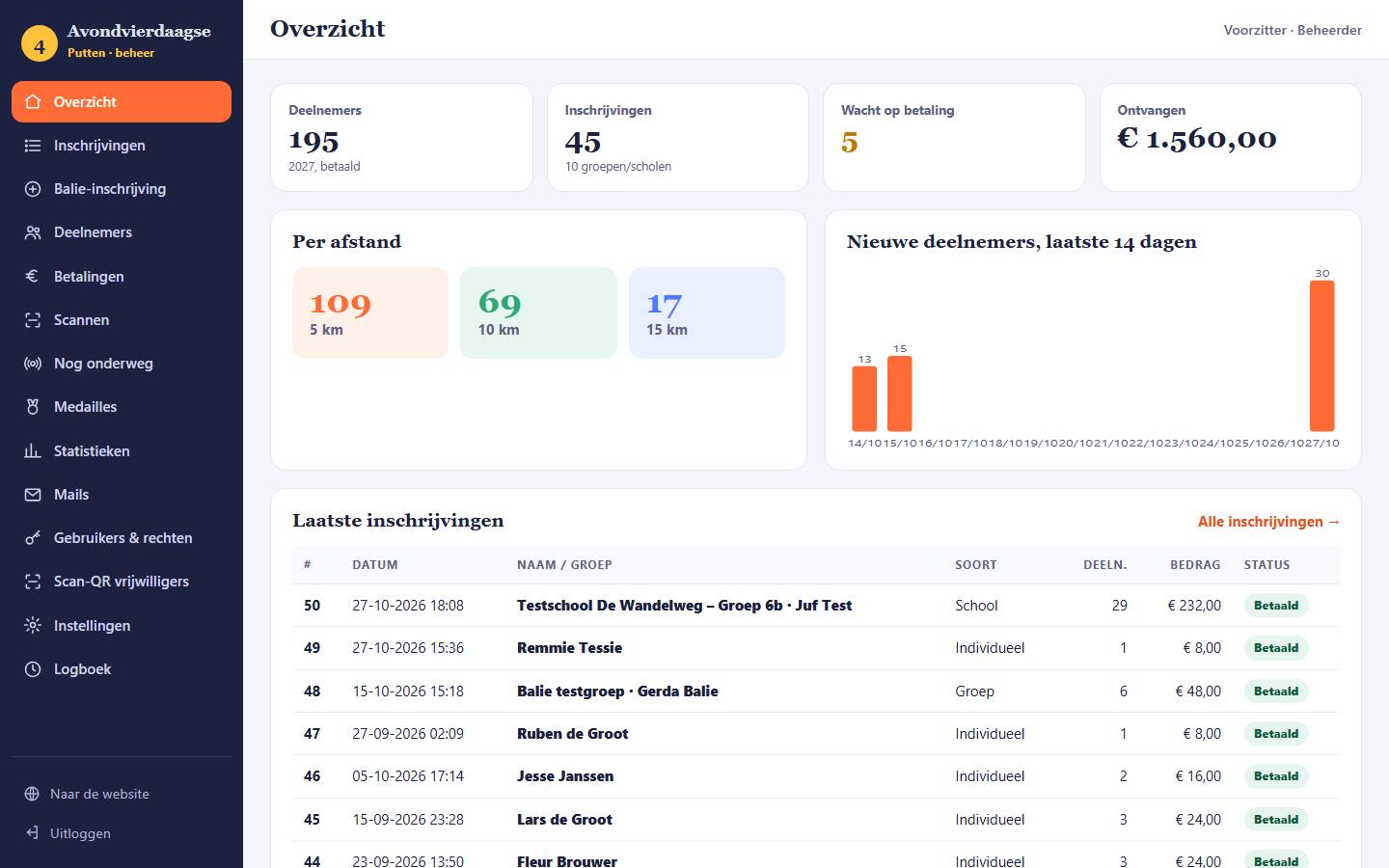
Online registration and payment, start passes with QR code, scanning at start and finish with a phone or a QR hand scanner, live view of who is still on the route, medals according to the rules, and every participant's results after each evening. Linked to your own website.
- Your own website
- Scanning with phone or hand scanner
- Roles and permissions
Offer for associations affiliated with the SGWB
Website and CRM system sponsored by Ikoon Media.
Does your association organise an evening or walking four-day event under the SGWB? Then we'll build your website and the complete CRM system for free. Your association gets from us:
- Professional website
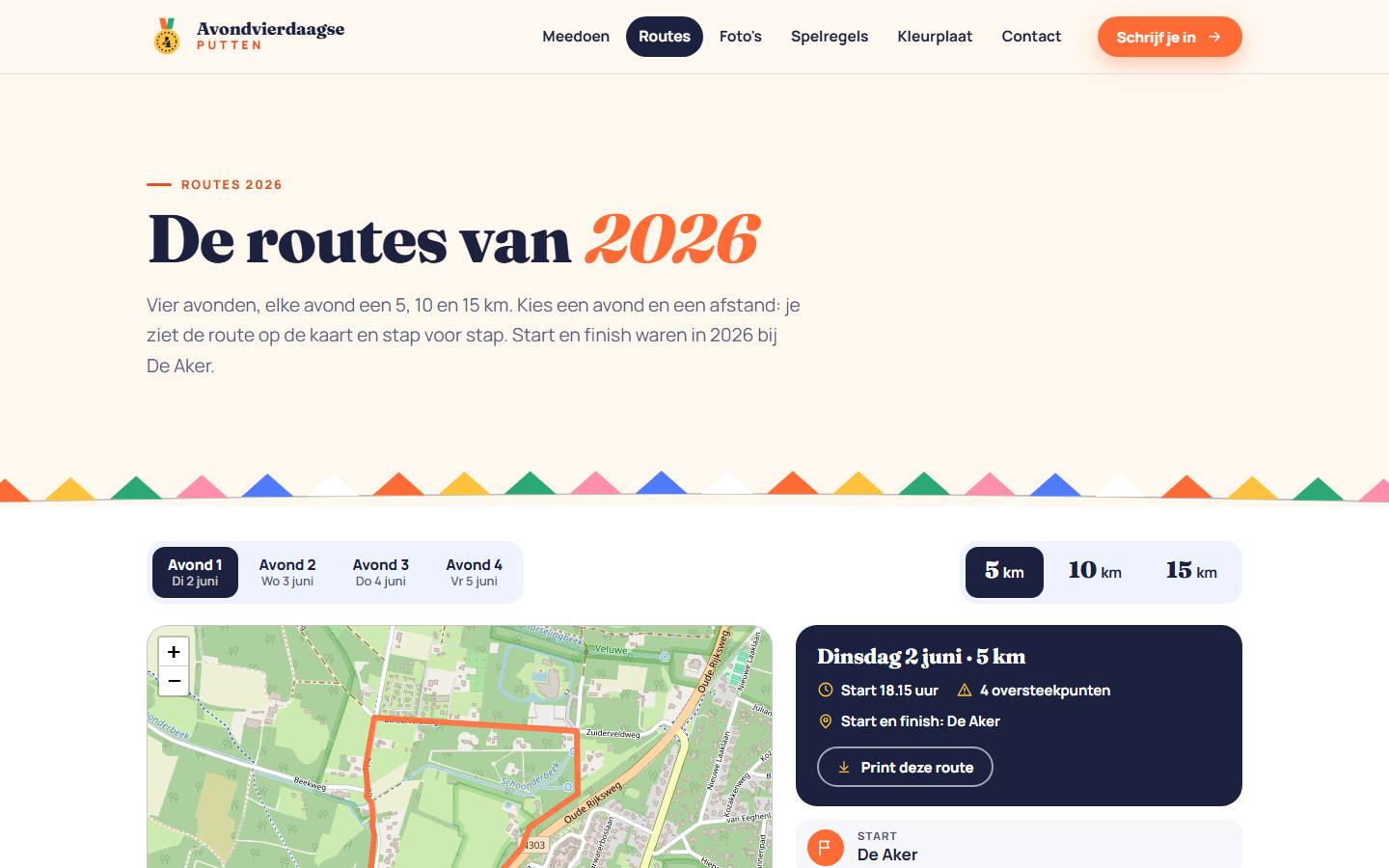
Free, in a completely custom house style and design. With routes on the map, a calendar tool for all your activities, photo albums and all the information for participants.
- Registration and scanning system
The complete CRM: registration, payment, start passes, scanning, still on the route, medals, results and class pages.
- Your own payment system
Participants pay securely online with Wero (formerly iDEAL) and other payment methods via Mollie. The money goes through your own Mollie account directly to the association's bank account, with no middleman.
- Secure and privacy-conscious
Secure connection (SSL) on Ikoon Media's secure servers, individual roles and permissions per staff member, a log of every change and old contact details deleted with one click.
- Manual
A clear manual with screenshots for the chair and the board.
- Training evening (online)
A video call with your staff: 1. how the system works, 2. managing roles and permissions.
- Transferring photos
We take over the photos from your current website and organise them in clear albums.
- Start and finish banner
Sponsored by Ikoon Media: a start banner and a finish banner in your website's house style, with our logo and the slogan "Blijf in beweging".
- Large photo banner on a frame
Approx. 3.5 to 4 metres wide and 2 to 2.5 metres high, with a theme of your choice. For the photo after the finish, with the medal in hand.
- An event video every year
A cheerful video of your edition, with footage of all the evenings and the route. For the homepage and to share on socials.
- Faces gallery on your website
All finish photos in a cheerful photo frame, with name, medal, number of times walked and the year. Everyone can look them up again and download them as a keepsake.
- CMS and management
You manage the website yourself with a simple CMS: edit pages, news and photos without technical knowledge, whenever it suits you.
Terms
The offer applies to associations affiliated with the SGWB.
Register your association and choose a date and time for the intake yourself.
The build of the website and CRM is sponsored by Ikoon Media.
From every transaction via the booking system, €1 per participant goes towards hosting, maintaining and securing the system on Ikoon's secure servers.
- Before 14 January 2027Sign-up and intake
- March 2027System delivery and training
- From 1 April 2027Live: registration is open
Sign up
Register your association and choose your intake.
In the intake we discuss your association, your four-day walk, your current website and your wishes for the house style. Choose a date and time below that suits you. We'll confirm the appointment by e-mail.
- Register before 14 January 2027
- Website and CRM build sponsored by Ikoon Media
- Maintenance and management of website, CRM and CMS: €1 per participant, via the booking system
- Personal support
- Access to all Ikoon Media services: design, website changes and more
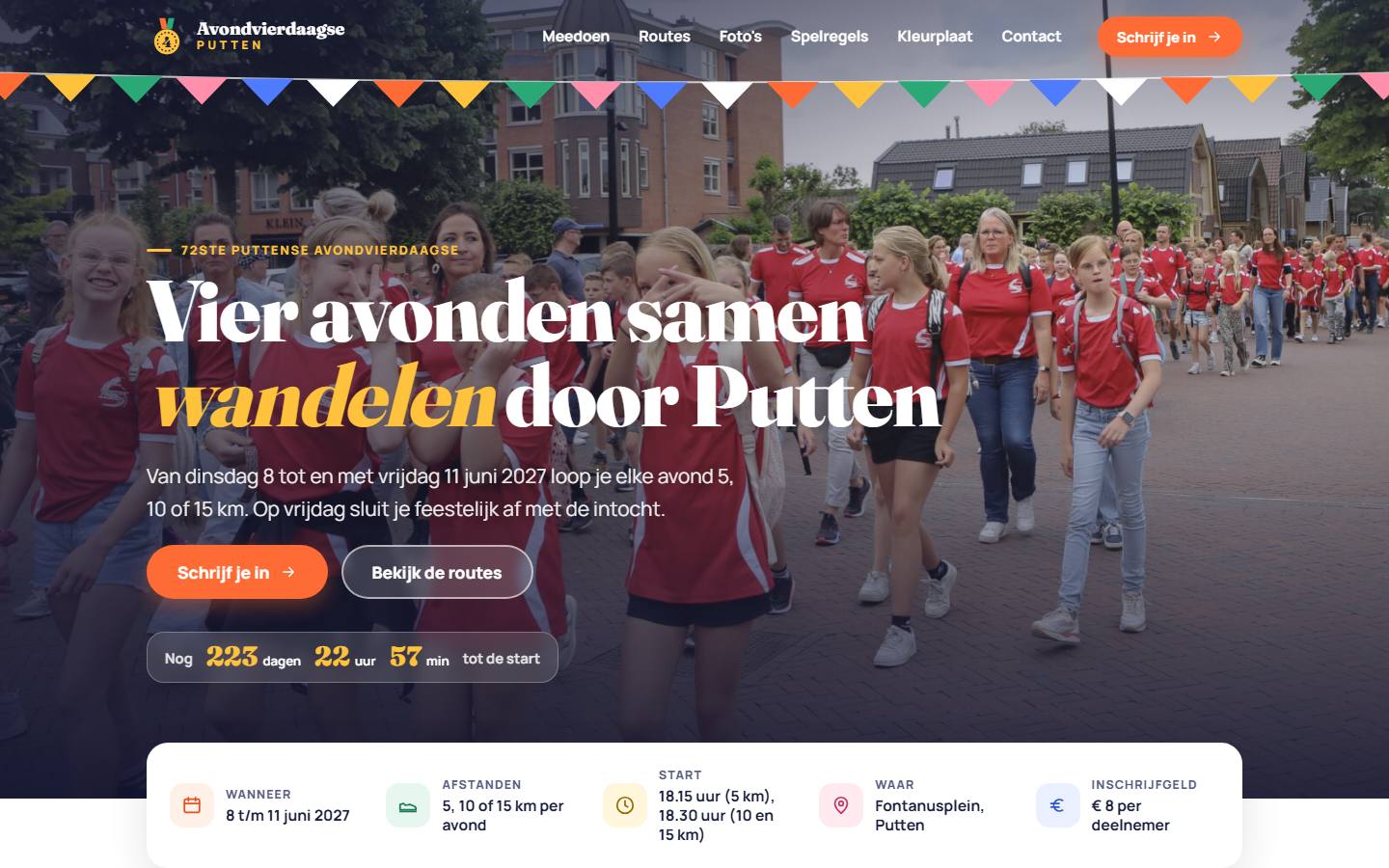
Example: Avondvierdaagse Putten
Start, finish and the photo with the medal.
This is how the banners look in the house style of the website. After the finish, each participant or group has their photo taken in front of the large photo banner. The photo appears in the faces gallery on the website, in a photo frame with name, medal, number of times walked and year.
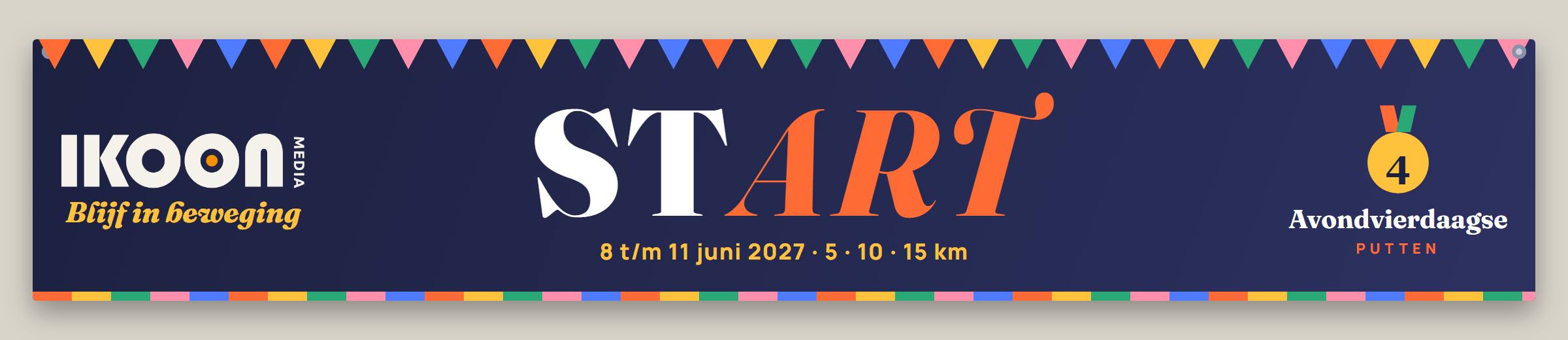
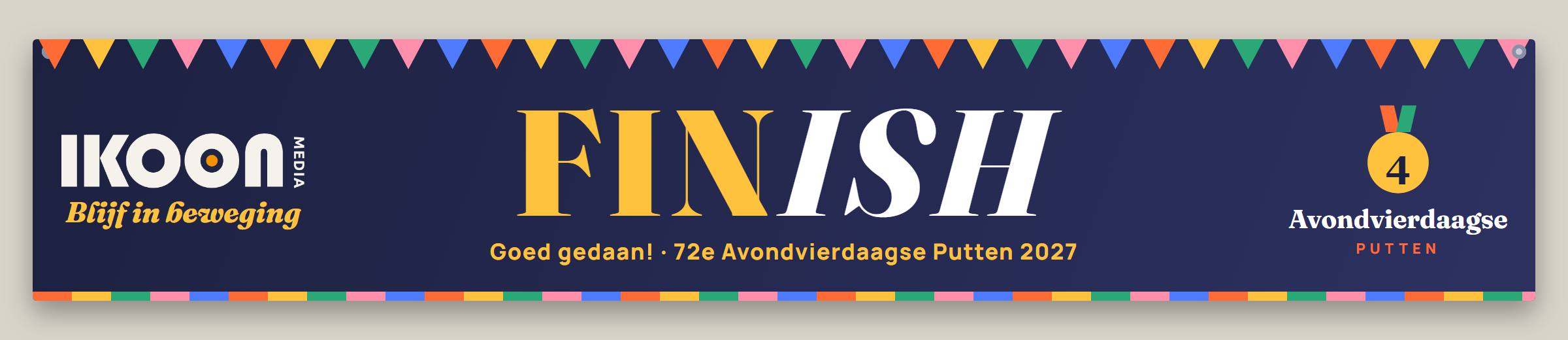


Illustrations: examples. The association decides the theme of the photo backdrop itself.
In the package
A video every year of your edition.
After the walking event we make a fun video: all the evenings, the route, the finish and of course the walkers, young and old. With music and funny on-screen text. It goes on the homepage of your website and is ready to share on Instagram, Facebook and TikTok.
- A new video of approx. 1.5 minutes every year
- Landscape for the website, portrait for socials
- In your association's house style
How it works
One system, from April to the final march-in.
- 01Sign-up
Individual, group or school
- 02Pay
Online via Mollie
- 03Start pass
PDF with QR by e-mail
- 04Scanning
Phone or hand scanner, start and finish
- 05On the route
Live overview and alarm
- 06Medals
According to the rules
- 07Performance
After each evening for every participant
- 08Class page
Lesson with quiz and puzzles
Registration and payment
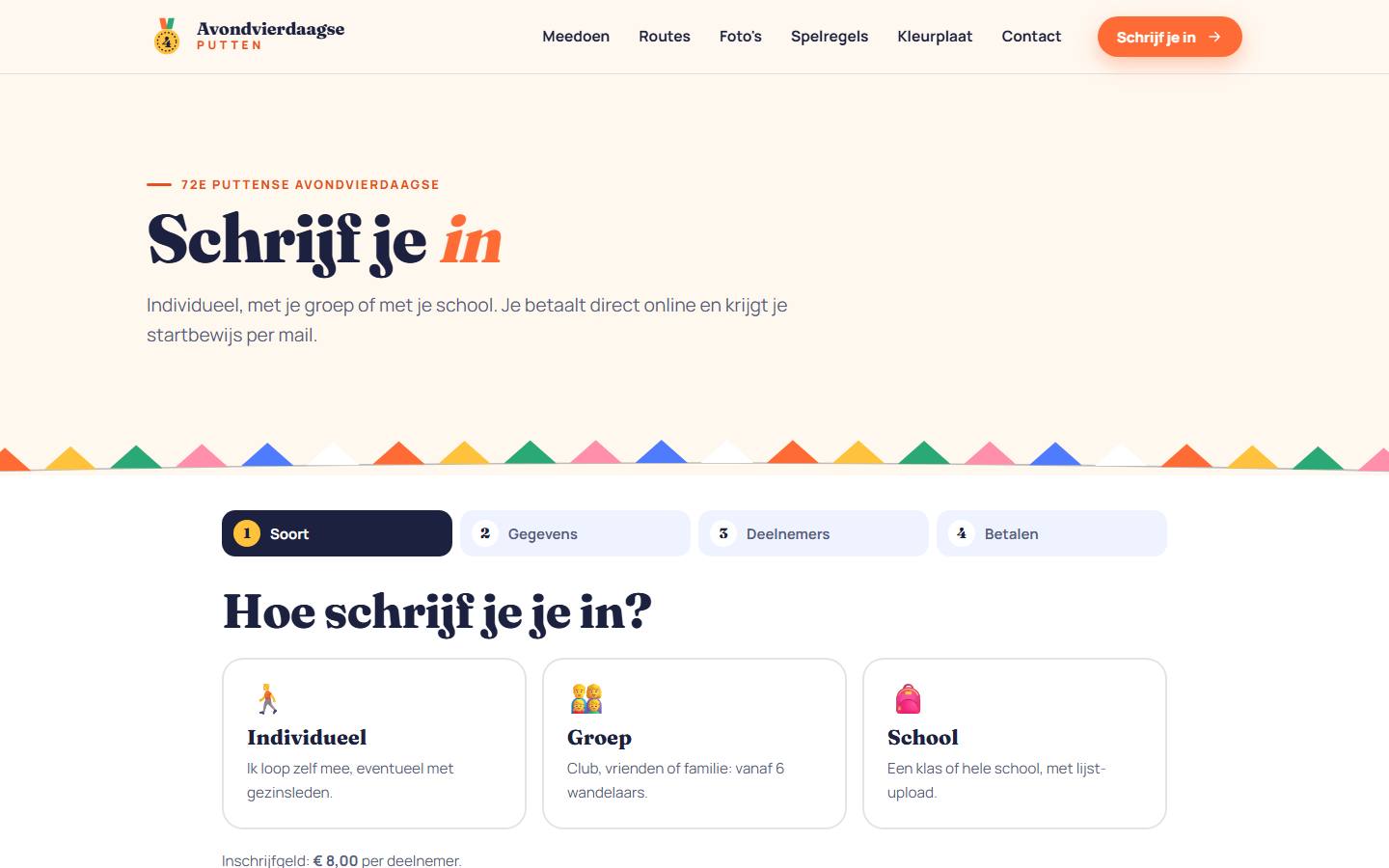
Sign up online, for groups and schools too.
Participants sign up as an individual, with their group or with their school. Age is checked per distance according to the rules, and payment is made directly online via Mollie (Wero, formerly iDEAL, and more).
- Individual, group or school, in four steps
- Schools upload the class list as Excel, CSV or XML
- Age check per distance and supervision for the youngest
- Register at the desk: cash, card or pay later
Start pass with QR code
The start pass straight to your inbox.
After payment, every participant receives an A4 start pass with a personal QR code and a tear-off strip, plus the QR code as an image for their phone. Groups and schools receive a single group start pass: one scan and the whole group is registered.
- Unique participant number and verification code
- Tear-off strip for all four evenings
- Group start pass for groups and schools
- Always available to download again

Scanning with phone or hand scanner
Your volunteers' phones or a QR hand scanner.
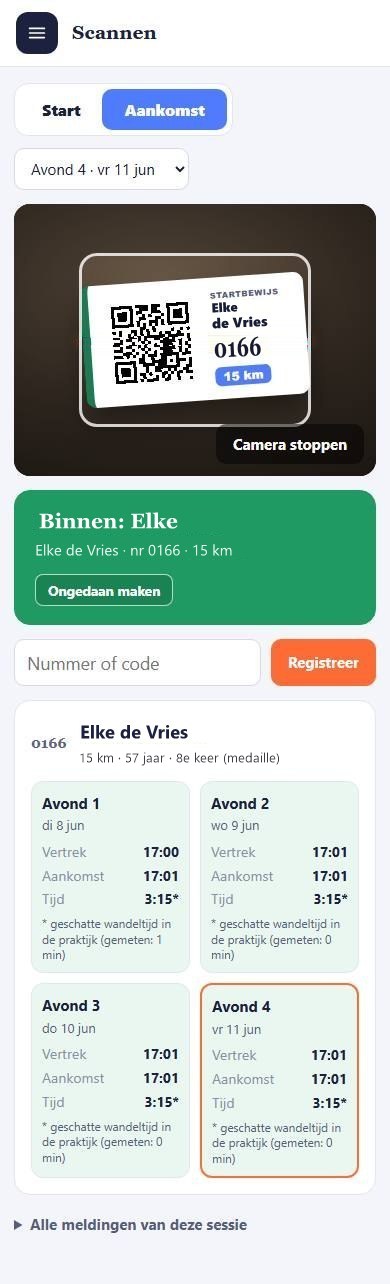
Every volunteer gets their own scan QR. Scan it once with the phone camera and the scan page opens, with the camera on. No password, scan rights only, expires automatically after the walking event and can be revoked with one click.
- Departure and arrival per evening
- After every scan, the participant's card with all their times
- Group QR with a tick-off for who isn't walking
- Works via 4G or 5G, anywhere along the route
- Or scan with a QR hand scanner (USB or Bluetooth)
Scanning with a handheld QR scanner works tooVia USB or Bluetooth, on the laptop or the phone. Choose "QR handheld scanner" on the scan page and scan: every code comes in automatically.
Safety
Who is still on the route?
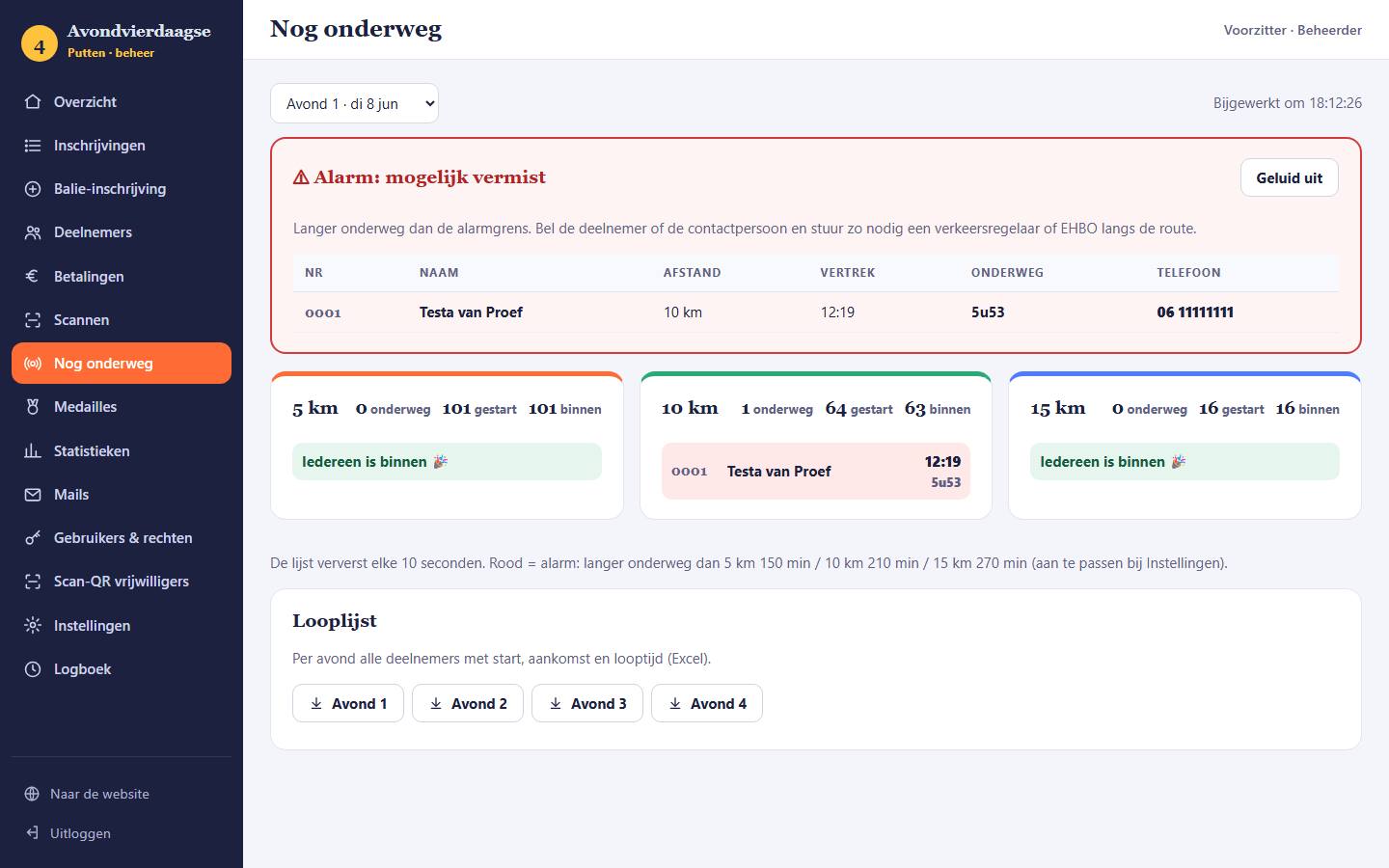
The board sees live who has started and not yet finished. If someone has been out longer than the set limit, they appear in a red alarm block, with an audio signal and the phone number to call.
- Live, by distance and by evening
- Alarm limit can be set per distance
- Walking list per evening as Excel
Medals
Medals, calculated automatically.
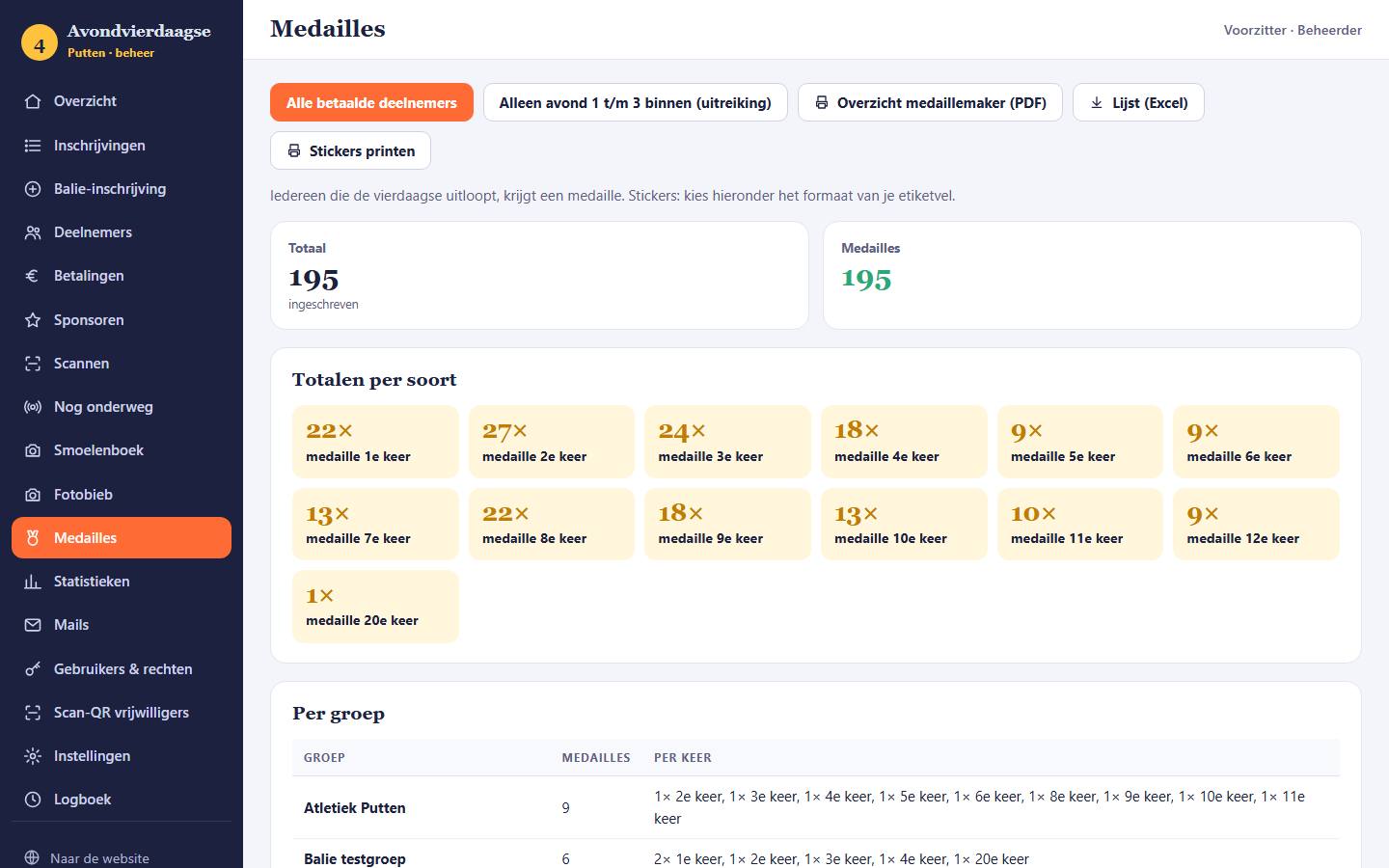
For each time someone takes part (1st, 2nd, 3rd time …), the system counts how many medals are needed. With the order list, an overview for the medal maker and a sticker sheet per group, the medal presentation is sorted in no time.
- Presentation after the evening you choose yourself
- Overview by group and by type
- Print stickers on A4 labels
For the participants
After every evening: my achievements.
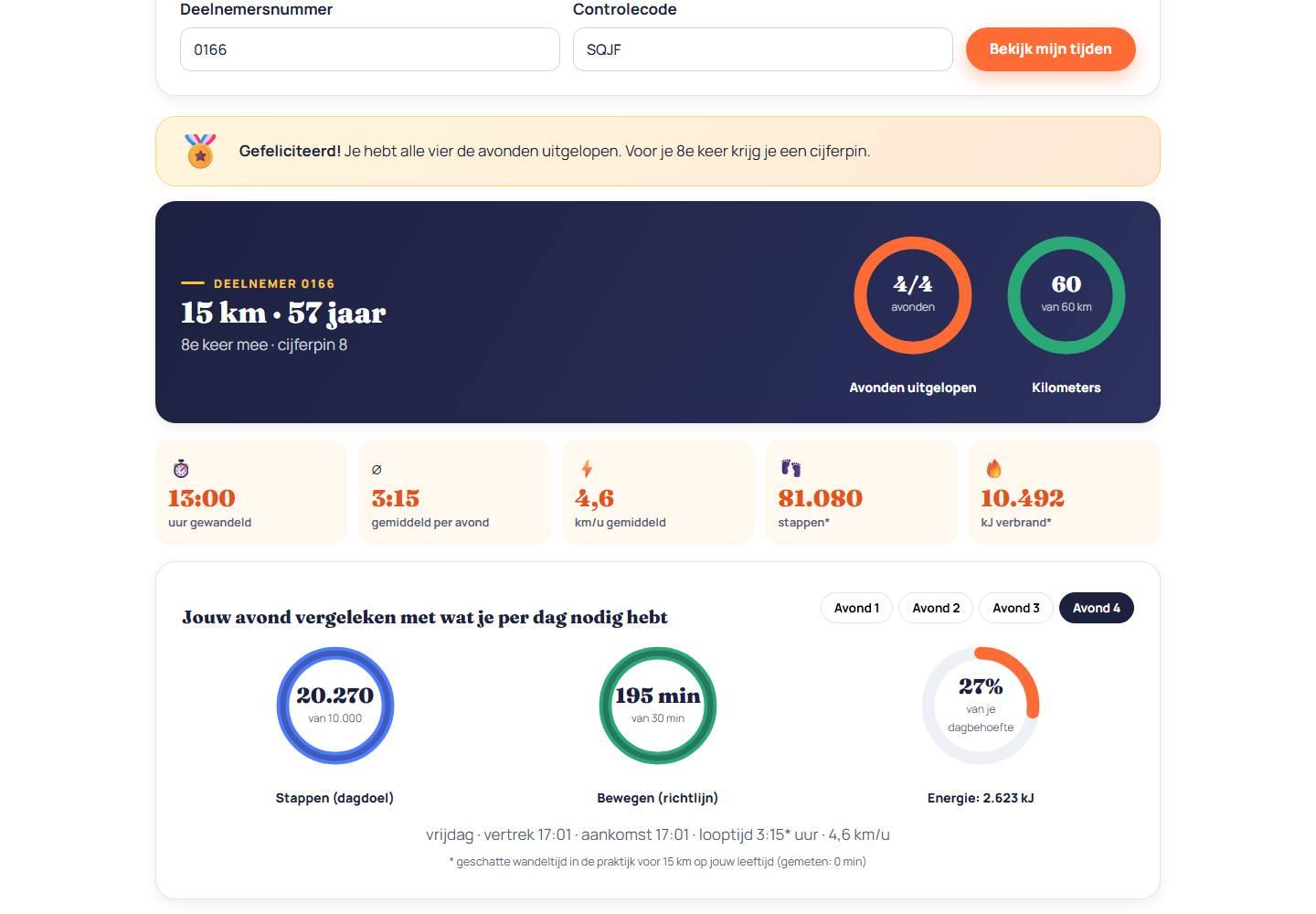
With the number and check code from the start pass, every participant can see their times, steps, calories burned and a comparison with the other walkers. The estimates are tailored to the participant's age.
- Activity rings for steps, movement and energy
- Table with all evenings and the average time
- Tips on eating and drinking along the way
For schools
A class page with a lesson included.
Every school gets its own class page showing what the class walked together, plus a lesson on walking, exercise, being outdoors and relaxing. With a quiz for the smartboard, maths problems using the class's own figures, a word search, riddles and activities. At four levels, from years 1–2 to years 7–8: the page automatically picks the level that suits the class.
- Figures for the whole class
- Four levels: years 1–2, 3–4, 5–6 and 7–8
- Quiz, maths, word search and riddles
- Confetti and a cheerful sound for every correct answer
- Worksheet to print

Management
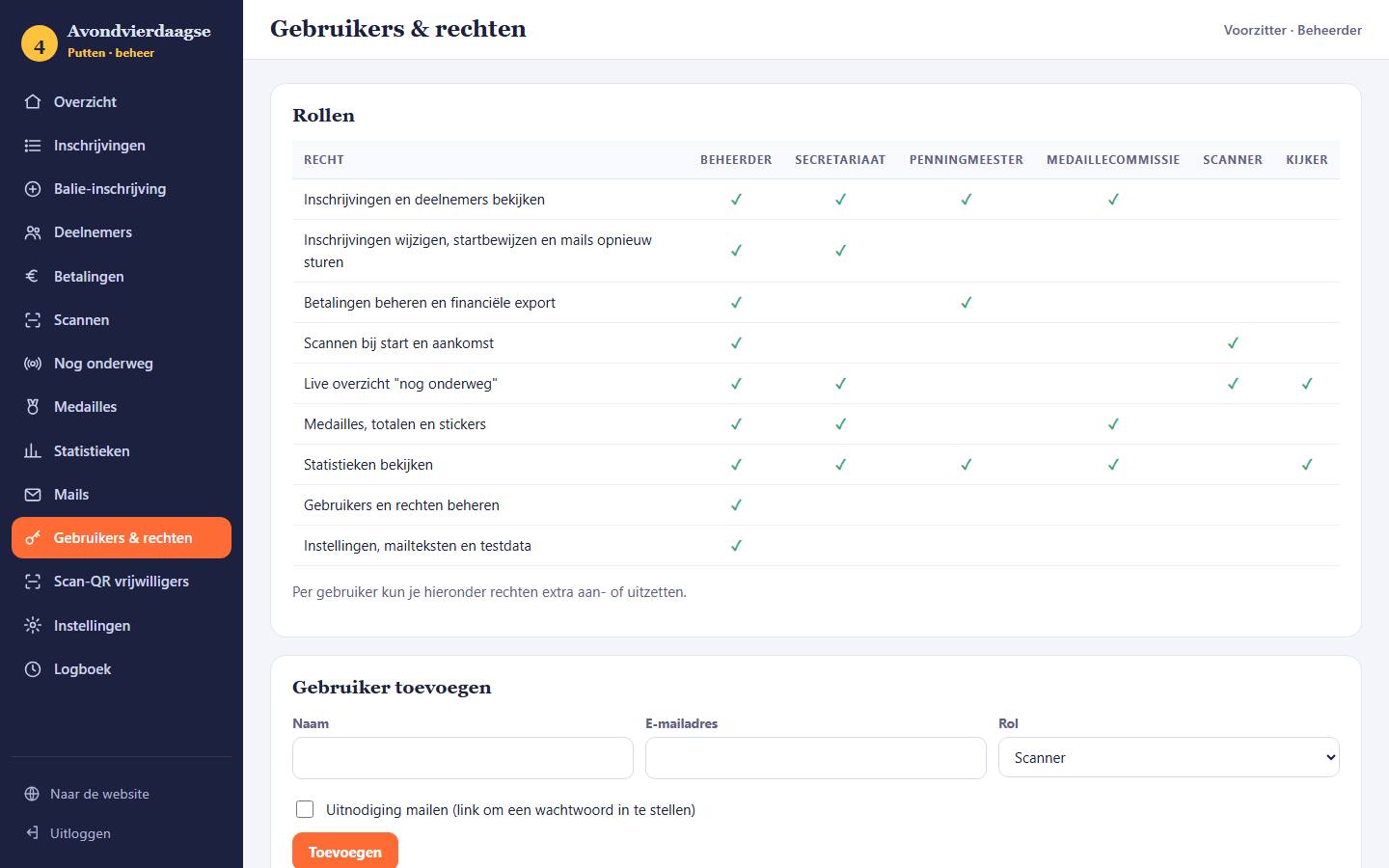
Roles and permissions for the whole board.
Everyone works with their own account. A role determines what someone can do: administrator, secretary, treasurer, medal committee, scanner or viewer. Every change is recorded in the log.
- Statistics: distance, age, groups and scans per evening
- Exports for the secretary and treasurer
- All sent emails can be viewed again
- Privacy: delete contact details from previous years in one go
The website
Your own website that invites people to join in.
In your club's house style: with a countdown to the start, the distances, the routes on the map with a step-by-step list, photo albums, the rules and a clear sign-up button. On computer and phone.
Manual
Everything step by step, with screenshots.
For the chair and the board: setting up the new year, users and permissions, registrations, scanning, still on the route, medals, statistics, privacy and an annual planner. 15 pages, simple and clear.
 PDF · 15 pages
Taking part with your association?
Sign up before 14 January 2027.
In March we deliver the website and the system and train your staff online. Registration opens on 1 April 2027.
The team
Built with love by Team Ikoon
- RemcoConcept and copy
- RobinDesign and video
- BilalCode
- JackCode
- RoyScripting
- MarzenaContent
- LizaContent
- IreneWebsite SGWB
- DarekWebsite SGWB